Support for third-party portals and easy access to VeraAI using the Vera Chrome Extension.
The Vera browser extension allows you to complete questionnaires on third-party portals such as OneTrust, BitSight and LogicGate and allows for quick access to VeraAI to help you in answering due diligence questions.
Using the Vera extension, you can:
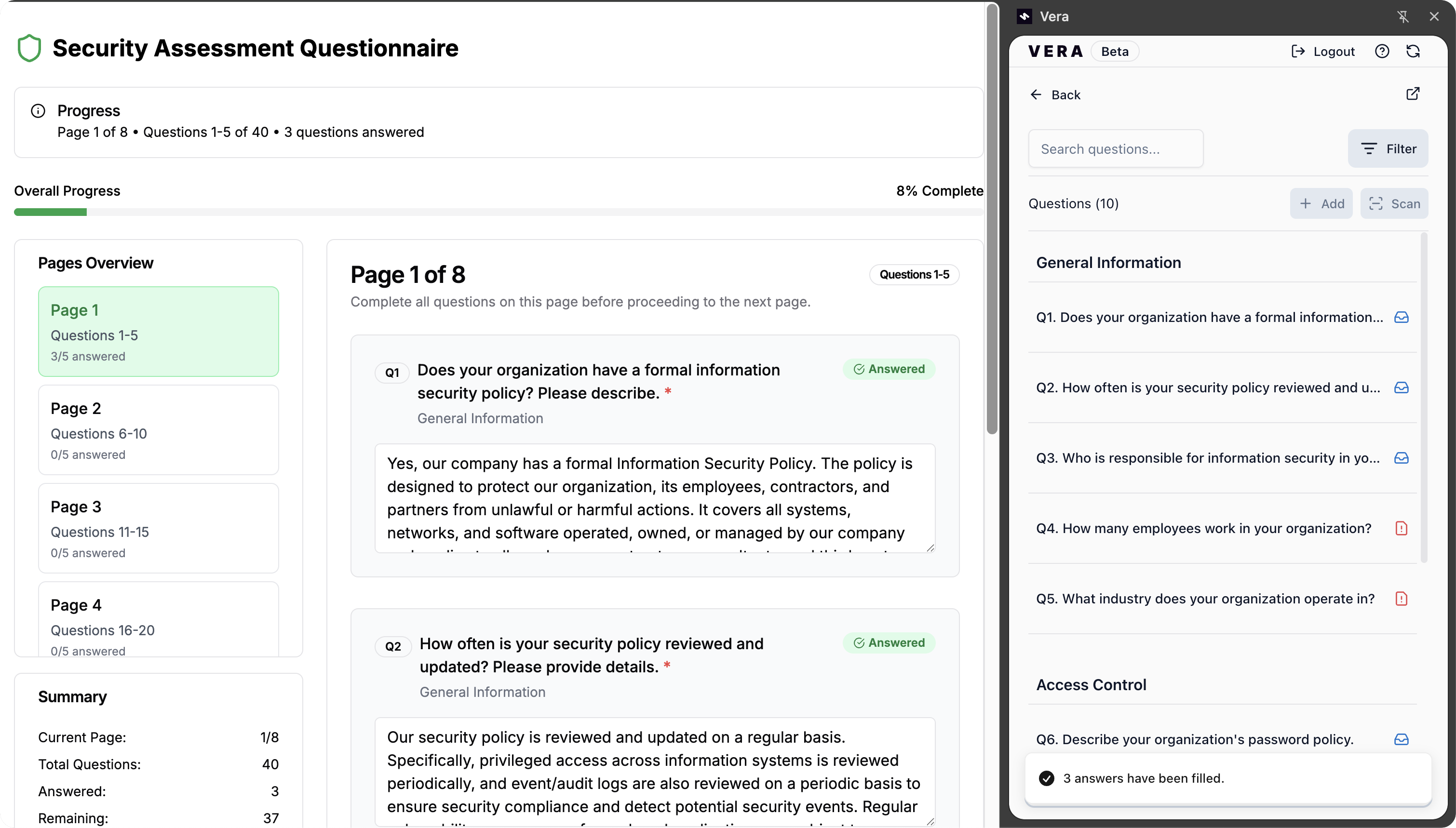
Click here to Download Vera's Chrome Extension!
Click on the Vera logo in your browser toolbar (usually located in the top right corner, next to the address bar). This will launch the Vera extension panel.
💡 If you don’t see the Vera logo, make sure the extension is pinned. Click the puzzle icon, then click the pin next to the Vera icon.

With the Vera extension open on a questionnaire page, choose "Start new questionnaire".
You'll be asked to fill in some basic questionnaire information such as the name of the supplier of the questionnaire and the URL. When you are done, hit "Create Questionnaire".
💡 Note that if you've already created this questionnaire in Vera, the relevant questionnaire will open automatically in the extension. You can also select "Open Questionnaire" manually, search for it and select it from the list.
Vera should start automatically scanning the URL for questions. If it doesn’t, simply open the questionnaire link in your browser alongside the extension and click "Scan" to extract them.
💡 Does the questionnaire have multiple tabs or pages? Go to the next tab or page on the website and click 'Scan' to extract additional questions.
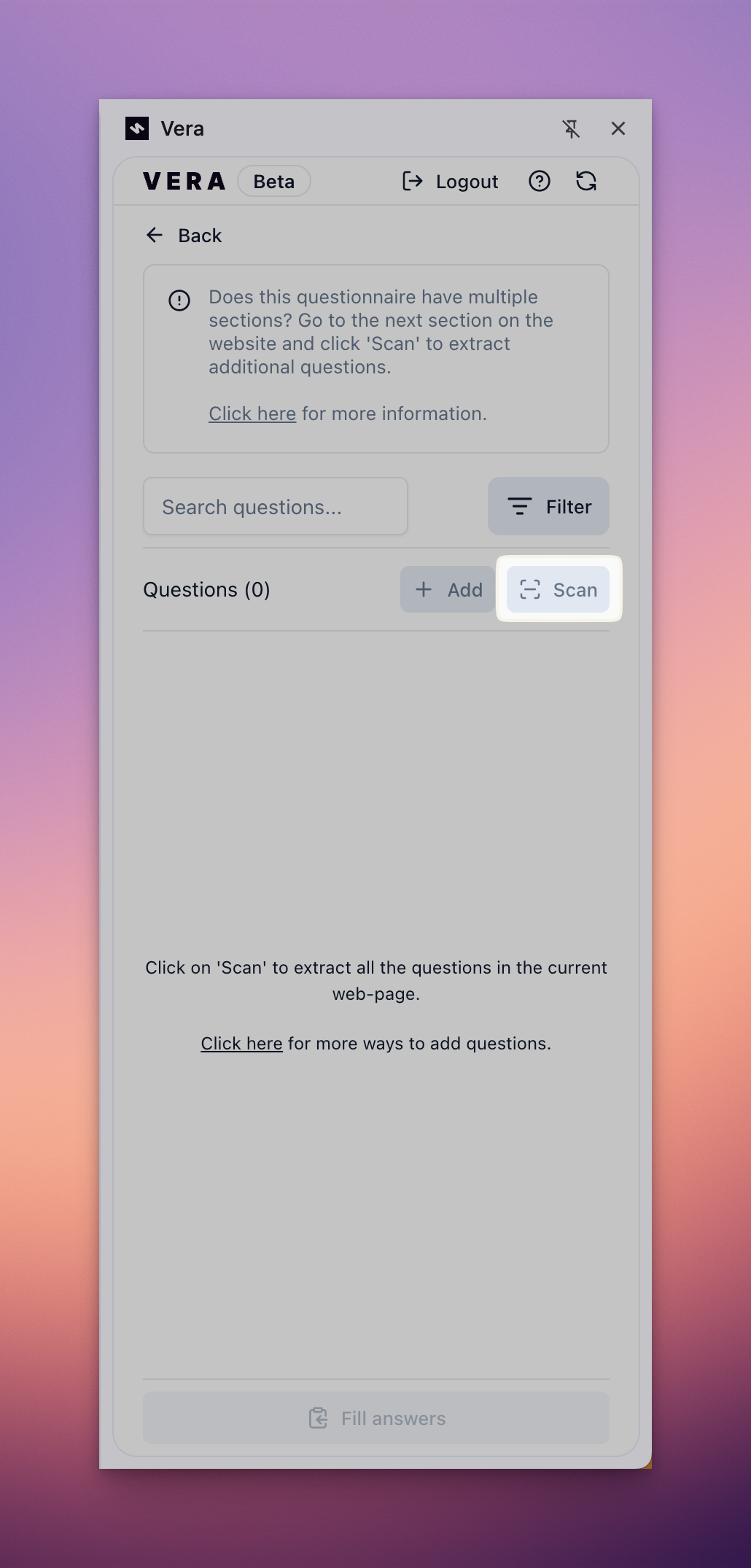
Once imported, Vera will provide a similar experience as to what is provided on the web-app interface - with capabilities such as:
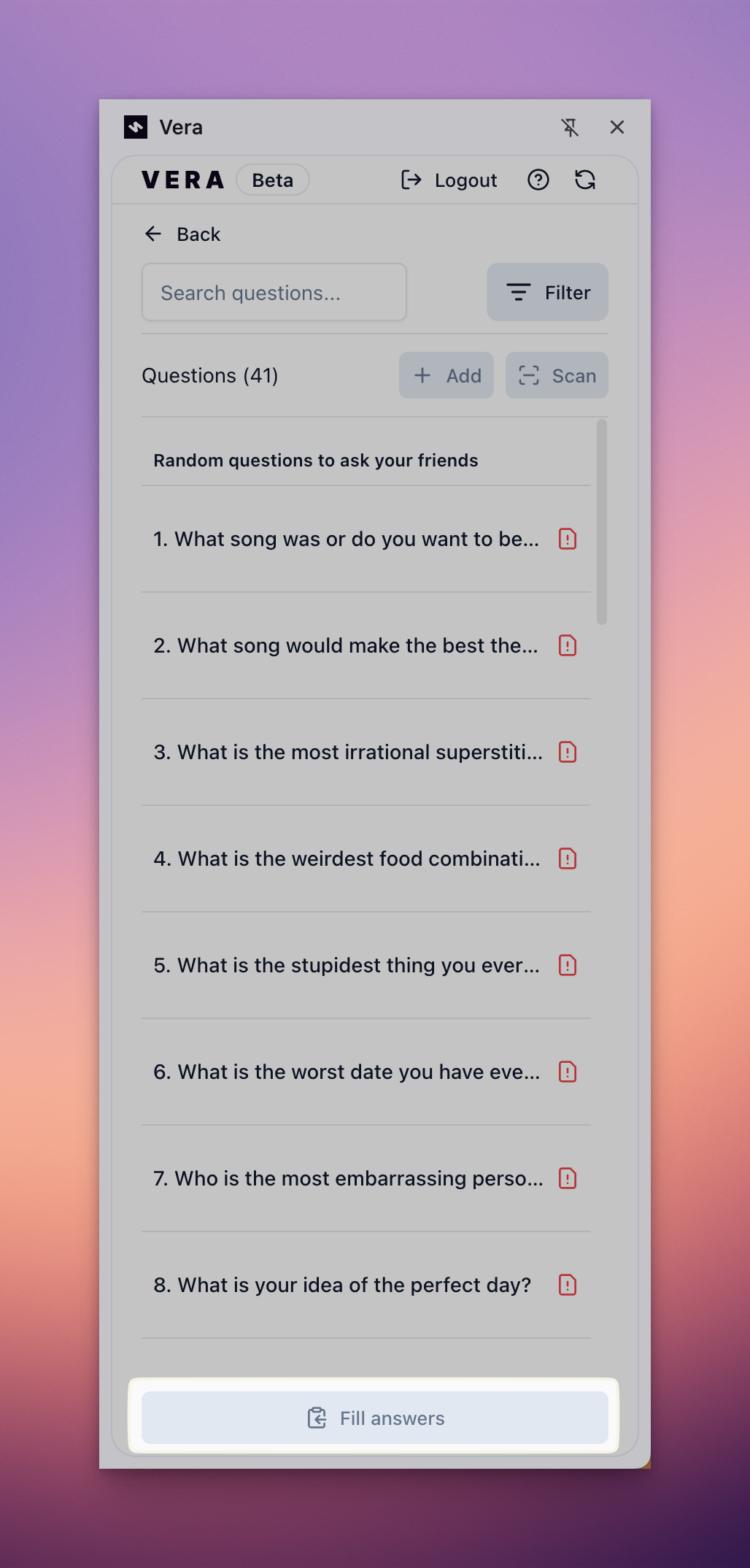
All activities stay synchronised between the extension and the web app. You can start your questionnaire in the extension, switch to the web app to refine answers, and return to the extension to export the answers back onto the portal.
When you’re satisfied with the answers, you can fill them directly into the portal in one click. Hit "Fill Questionnaire" to copy the responses from the questionnaire and into the portal.
💡 As of now, only text responses will be copied over to the portal, support for different answer types coming soon...
Need a quick answer to a question? You can launch VeraAI directly from the extension at any time by clicking "Open AI assistant" or highlighting questions on any webpage and clicking on the "Answer" button that appears
VeraAI will generate a source-backed answer instantly.
💡 VeraAI is perfect for when you're just looking for a quick, reliable answer.
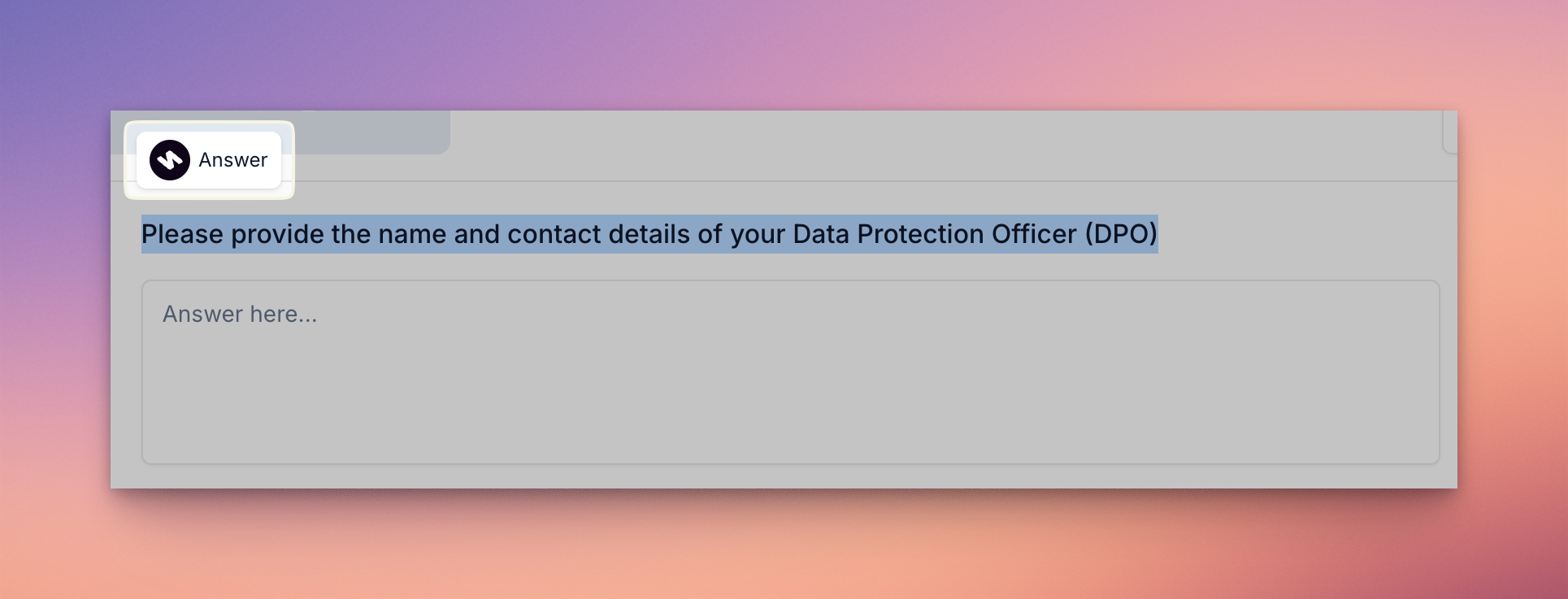
If the automatic extraction missed some questions, with your questionnaire open on the extension, you can highlight questions on any webpage and click "Answer" to add the question to your questionnaire.
VeraAI will then begin drafting responses right within the extension.
The Vera browser extension is designed for quick access and speed, but some advanced actions are only available through the full Vera web app. These include:
To use these features, head to https://app.getvera.ai and open the relevant questionnaire.